
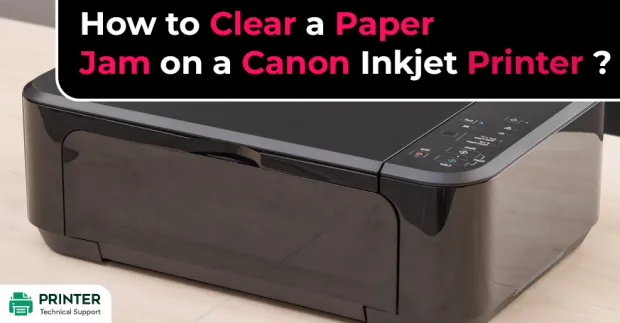
How to Clear a Paper Jam on a Canon Inkjet Printer?
Hi, I am facing problem in clearing paper jam on Canon inkjet printer. Please give me any idea to solve this issue of paper jam in Canon printer.Also Read:
- How to Change Color Settings on Canon Printer MAC?
- Why Won't My Canon MP180 Scan a Document to My Computer?
- How to Connect Canon TS3122 Printer to WiFi?
Fix Canon Printer Paper Jam Issue:
When you use a printer on a daily basis, then paper jam is a very common issue. It can be really annoying and expensive to maintain a Canon printer in office or home. There are several error messages that show up at any point of time causing a lot of inconvenience.
Here are some of the steps that you can follow to solve Canon inkjet printer paper jam.

The Canon printers released nowadays come with LCD monitors,so it becomes easy to understand any problem that comes up. Never the less, there are certain Inkjet model printers that does not come with such monitors.
Generally, when a buyer unpacks a printer, he does not read the manual carefully, which is the reason why he or she has no idea why blinking error light issue arises. Paper jam issues are pretty common if you are using Canon inkjet printers.
Steps to Solve Issue of Canon Printer Paper Jam:
Step 1: First of all, carefully disconnect the power wire from Canon Inkjet printer’s back. This is the most important step to resolve the issues that are associated with any electronic device.
Step 2: Unhinge your printer’s access panel that is located at the back.

Step 3: Open the back panel and see through it. Check if there is any paper. If you find any paper, then you must instantly remove the paper jams.

Step 4: Now, shut the access panel at the back. Please ensure that it is properly closed and looks exactly like what it was when you were going to open it.
Step 5: Now to resolve the issue of Canon inkjet printer paper jam, locate the top or front access panel. Also, disconnect the printer from a power source. Then, go to the panel where you can change the ink cartridges.
If you are able to move the carriage that has ink cartridges in it, then move it. Now, search if there are any paper jams.
Step 6:Take out the jammed paper if you find any. If you will try to take it out from the front side, then you will experience paper feeder resistance. You need to pull it out very slowly or else it will tear apart, which can be very troublesome for you.
 Step 7: Now to get rid of the problem of Canon inkjet printer paper jam, shut the access panel in the front. Please, ensure that it is properly closed and looks the same way it was prior to opening it.
Step 8: Now, connect your printer to a power source and try to print again. If your printer prints properly and no error is popping up, then that means your paper jam issue has been resolved.
So, these were some of the steps that you need to follow to get rid of the problem of Canon Printer paper jam. We hope that your problem gets resolved by following these steps..
- John
 Brand: Canon Printer
- Last Update: 4 hours ago
 Related Articles

Top Searches in Canon Printer
Featured Articles
How to Get Canon Printer Online on MAC?
Sep 21, 2026
How to Fix Printer Printing Horizontal Black Lines?
Sep 21, 2026
How to Scan from HP Printer to Computer Windows 10?
Sep 21, 2026
Ricoh Printer Stuck on Processing
Sep 21, 2026
Brother Printer Only Printing in Black and White
Sep 21, 2026
How to Clean Kodak Printhead?
Sep 21, 2026
How to Install Lexmark Printer to Computer Without CD?
Sep 21, 2026
Why My Samsung Printer is Not Printing Clearly?
Sep 21, 2026
Top Questions
Why Won't My Canon Printer Print after Changing an Ink Cartridge?
Sep 21, 2026
How do I Fix a Canon Printer 1403 Error?
Sep 21, 2026
How do I Connect My Canon MG3050 Printer to WiFi?
Sep 21, 2026
How to Change Printer from Offline to Online Canon?
Sep 21, 2026
How to Turn My Ricoh Printer Online from Offline?
Sep 21, 2026
Brother MFC Printer Won't Print Black Despite Full Ink Cartridges
Sep 21, 2026
How to Fix Epson Printer Filter Failed or Stopped on Mac Error?
Sep 21, 2026
How do You Get a Lexmark Printer Back Online?
Sep 21, 2026
Categories
Article Article Article Article Article Article Article Article Article Article